These are one-time instructions you need to follow before creating your first mod. After these steps are done, you may proceed with the next step of the docs and - until the engine version gets updated or you reset your files - you should never have to come back to this step of the guide again.
Unreal Engine Installation
Current UE version for LIVE game version: Unreal Engine 5.7.4, if you are modding older versions of the game, please use their associated Unreal Engine version.
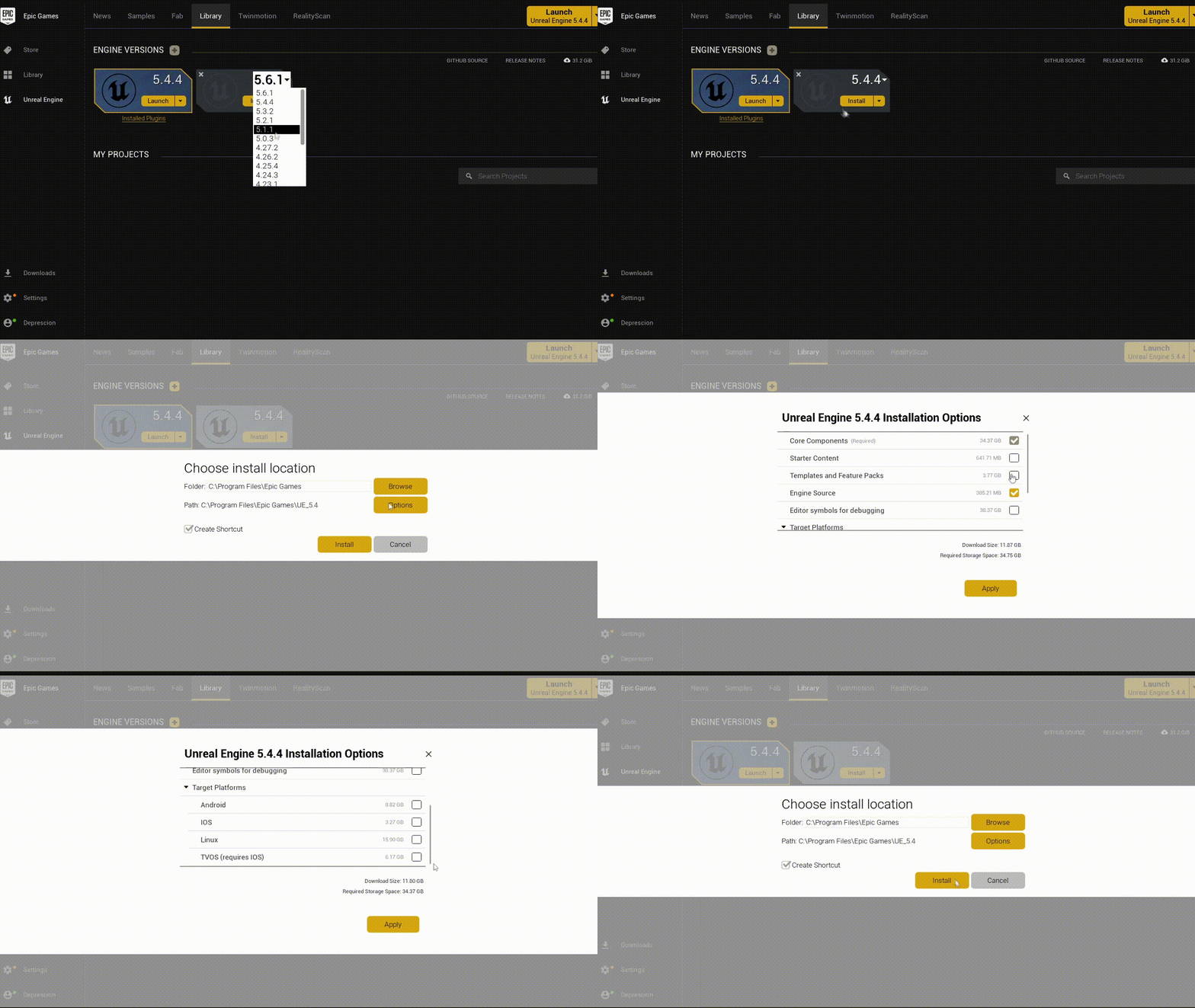
This build of UE requires roughly 25-30GB of free storage (make sure to uncheck all additional files such as Starter Content, Engine Source, Templates and Feature Packs under Options to save space, as shown in gif below).
Install Unreal Engine by installing the Epic Games Launcher from official Epic Games website and navigating to Unreal Engine tab on the left panel. Then select Library at the top of the screen, press the yellow + button and select your desired UE version (5.7.4 for LIVE).
Apply UnversionedFix
Ever since Unreal Engine 5 update, the game uses Unversioned Property Serialization as an optimization layer, however this asset format will cause mismatches between modded and unmodded assets, due to assuming the game's properties stay the same even in modded assets. In turn, this will cause crashes on all mods made with UPS enabled.
To fix this, we disable Unversioned Property Serialization by using UnversionedFix.
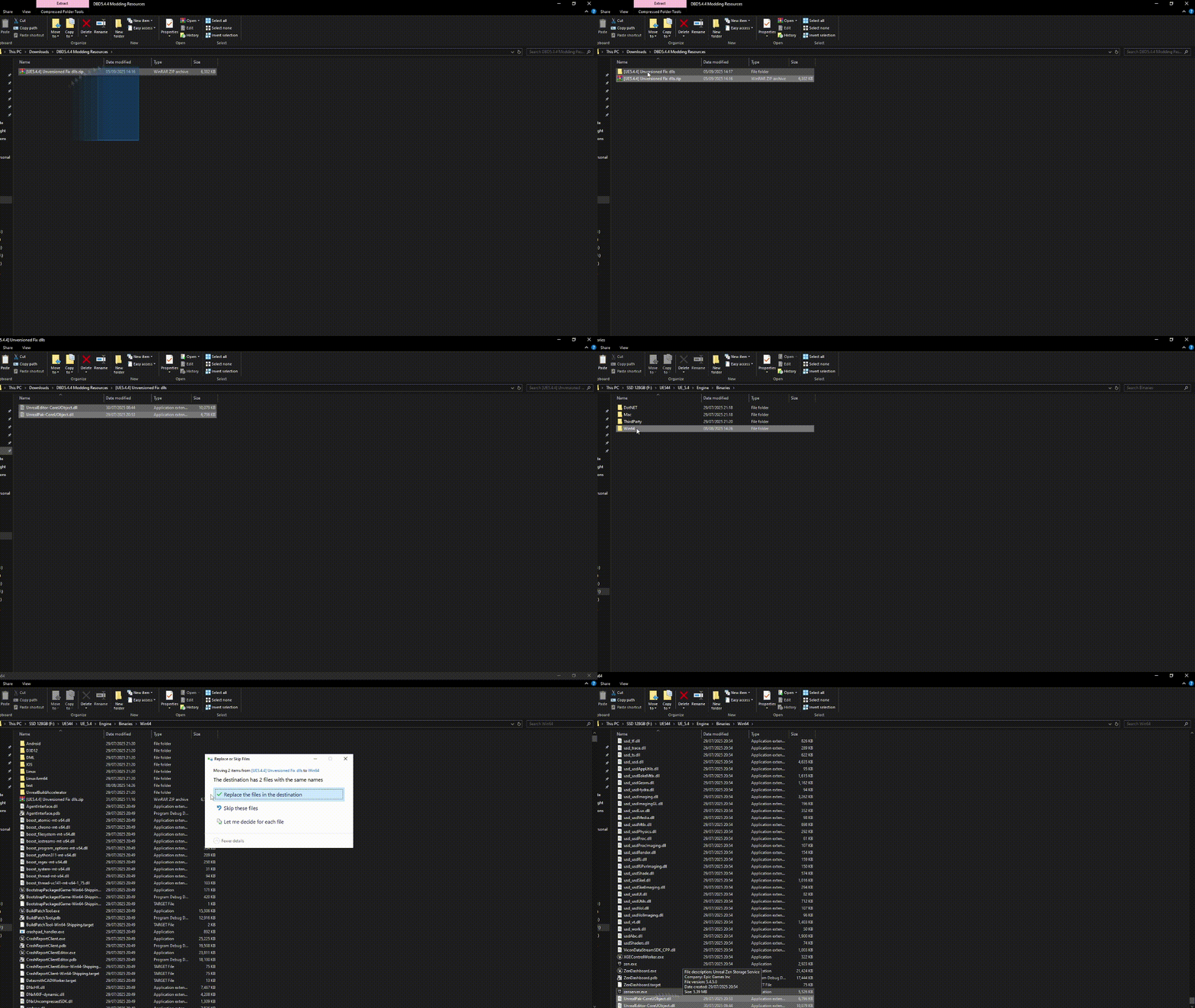
Unzip it, then replace UnrealEditor-CoreUObject.dll inside your UE5.7.4 installation folder - UE_5.7\Engine\Binaries\Win64 (NOTE: gif below shows copying 2 files, you only need 1 nowadays).
Download DBDUnrealPak
While you are allowed you package your mods directly in editor, doing so takes substantially longer, has worse compression and due to Engine specific changes the devs have done to the game, mods containing Material Instance assets will crash.
You should therefore Cook your projects and then package assets with our custom UnrealPak build created by Olegshabunov.
Simply download and unzip it somewhere where you can find it later - you will use this a lot while making mods so put it in a memorable directory.