Exploring Game Assets
This section is important to understanding how and where the game stores all its assets, which is required to modify them. We use FModel for this, a free and open-source program designed to explore various Unreal Engine games' assets. It is available on their official website. Save and unzip it to somewhere you can find it later.
FModel Setup for DaylightGame
Choosing Directory
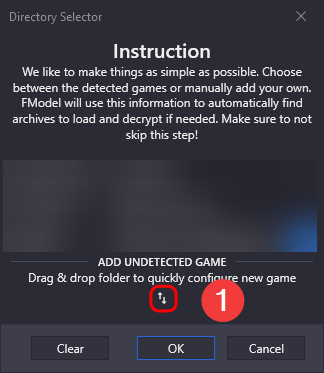
Begin by opening FModel and clicking Directory > Selector in the top left corner. Then:
-
Click the icon with the two arrows ↑↓ under the
ADD UNDETECTED GAMEtext. -
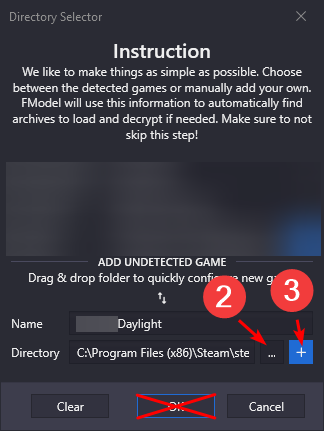
Press the ... button next to the
Directoryinput field, then navigate to and choose your DaylightGamePaksfolder. -
Press the blue + button to save this configuration. If the
Detected Gamedropdown didn't get automatically updated, make sure to select the configuration you just added. -
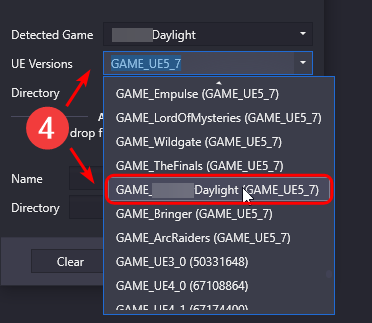
Under
UE Versionof the newly added game, selectGAME_D*****Daylight (GAME_UE5_7). -
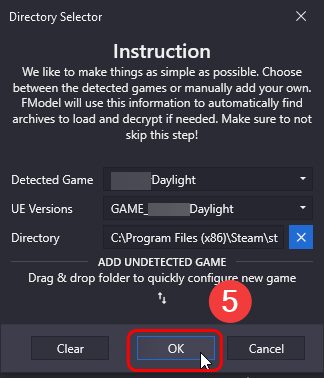
Finally, press the
OKbutton
Note
You can choose whatever Name you want for the game you're adding. If you are actively modding many different game versions it's recommended that you choose a name which reflects the game version.
Applying AES Key
-
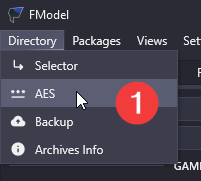
Click
Directory > AESin the top left of FModel. -
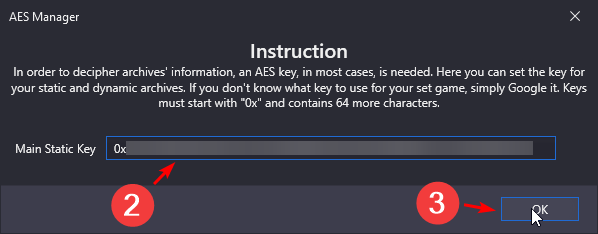
Paste the AES key into the text box. The current AES key for DaylightGame is
0x22b1639b548124925cf7b9cbaa09f9ac295fcf0324586d6b37ee1d42670b39b3. -
Press the
OKbutton.
Applying Mappings File
First, download the latest Mappings file by clicking the Mappings button in the top right corner of this website.

-
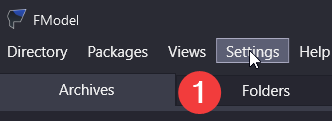
Click
Settingsin the top left of FModel. -
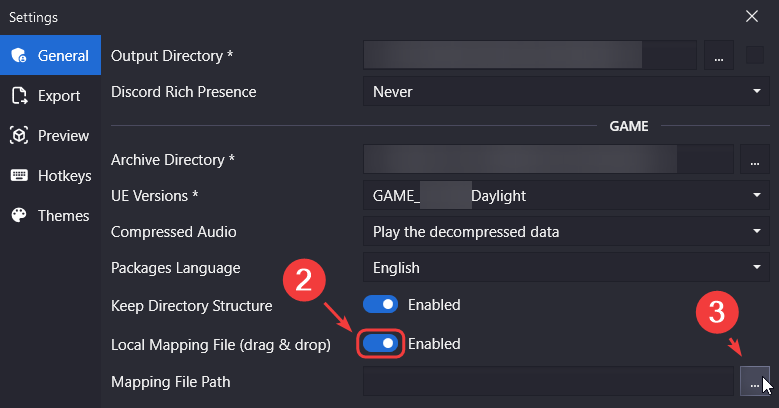
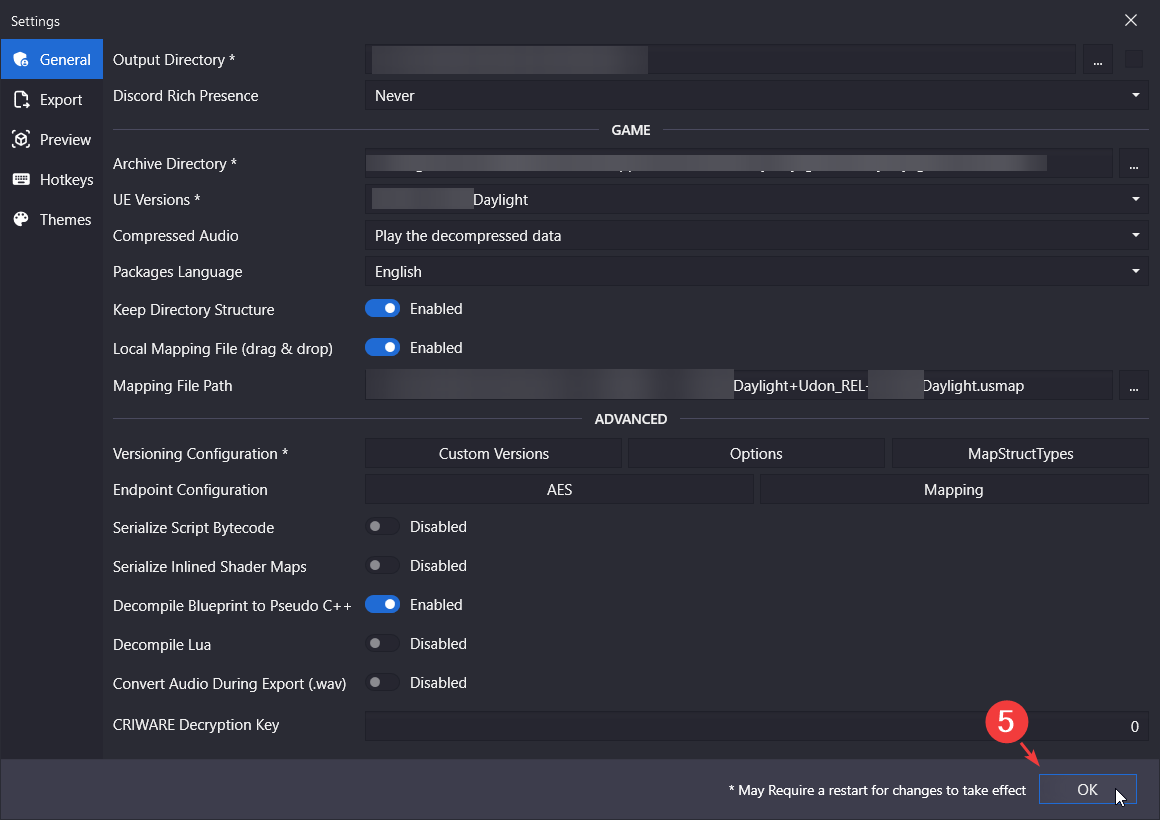
In the
Generaltab, enableLocal Mapping File. -
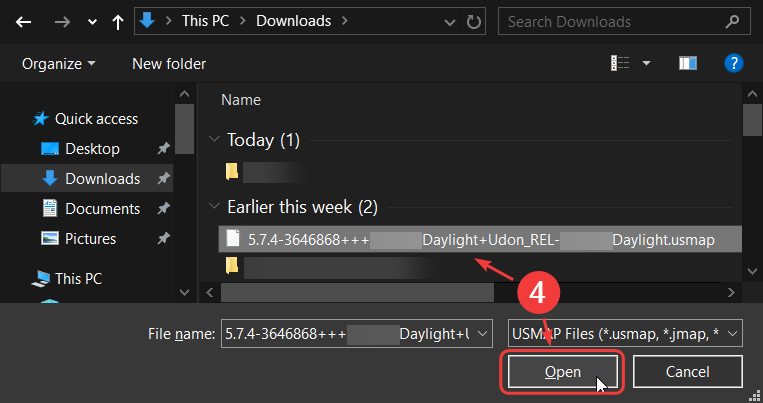
Click the
...button to the right of theMapping File Pathtextbox which should have appeared. -
Choose the mapping file.
-
Close the settings window by pressing the
OKbutton.
You're done!
You can now load and explore game's assets! In case you struggled with any part of this, you can watch this tutorial by ToxicShinobi, or this other slightly outdated tutorial by eefernal.
Warning
Do note that if you're modding the latest game version you will need to use the most up-to-date Mappings and/or AES Key from above, not ones attached to these respective tutorials' video descriptions.